


- For Business Manager appeal: https://www.facebook.com/help/contact/2166173276743732
- For Ad account appeal: https://www.facebook.com/help/contact/2026068680760273
- Or, you can contact Facebook support via chat https://www.facebook.com/business/help where you will have to mention the ID of the account/BM and explain what the problem is. Attention, from what I understand, the chat is not available for absolutely all advertisers. A Facebook representative takes over the case and will open a ticket to the verification team. Very important, multiple requests for the same case should not be made because with each update, the case is considered new and may take longer to resolve.

We had several advertising accounts deactivated, we appealed either from the direct account or via chat and the fastest was resolved within an hour. The most it lasted was 2 days. It is important to inform yourself ahead of time and to know what to do if you are faced with such a situation.
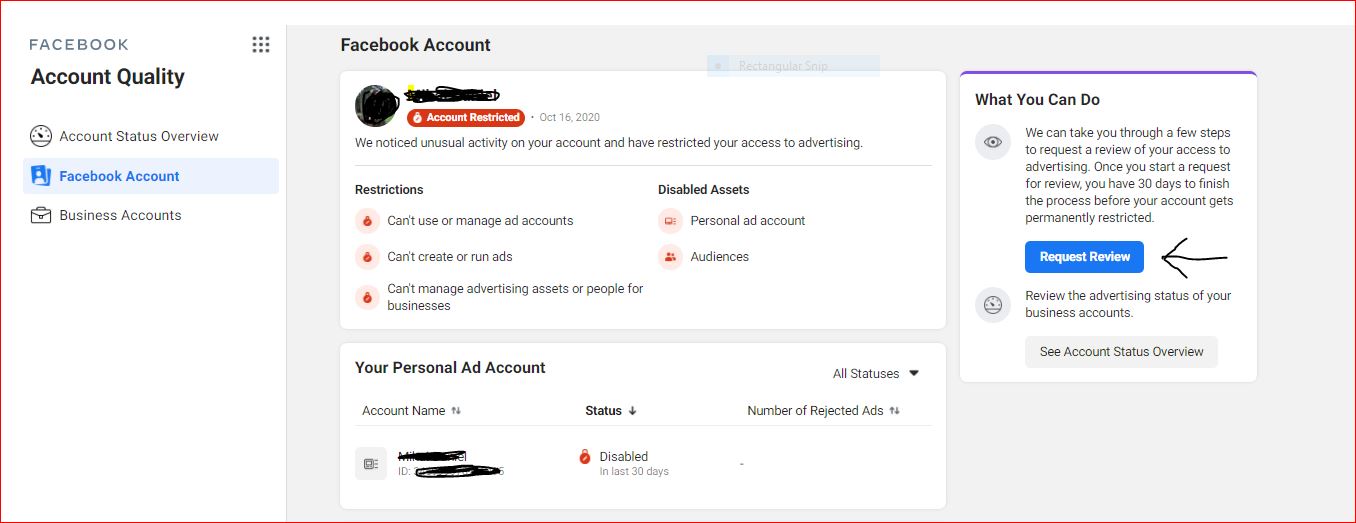
What does it mean exactly? We still had access to Facebook, could see the accounts we managed, but couldn’t create/modify any campaigns, and we appeared „flagged” in the eyes of the verification system for taking actions that violated promotion policies. Consequently, we were asked to verify our profile by uploading a photo of our ID card. The request option appeared in the Account Quality section of Business Manager.
Before doing that, we checked the URL, and everything was okay. We uploaded the photo, and within a few minutes, the profile was no longer „flagged,” and we were able to continue our promotion activities on the accounts. It wasn’t an isolated situation; we’ve seen many such cases. However, before uploading any photo, check the URL.
If things get really bad, until the issue is resolved, you can create another temporary Facebook profile, which receives access from the clients you manage and through which you can continue promotion activities. If you were indeed the admin of the accounts and were promoting your own business, all you can do is wait for the problem to be resolved.
What do you do if your Business Manager account is compromised?
Again, we know how it is. We’ve experienced it, and so have many other agencies. Likewise, we preferred to remain transparent and communicate what happened and the measures we took (as far as possible) to solve the problem and prevent such situations.
At the beginning of the pandemic, Facebook seemed to anticipate an increase in hacking, so it made two-step authentication mandatory to access Business Manager. We made sure we had authentication enabled in BM and at the personal profile level for both team members and clients. When choosing how authentication should be done in BM, you have several options: via SMS, by using another fairly secure application like Google Authenticator, unique access codes, and a security key. Personally, I chose to use Google Authenticator. And at the personal profile level, I chose to be notified both through the Facebook app and via SMS if someone tries to access my profile
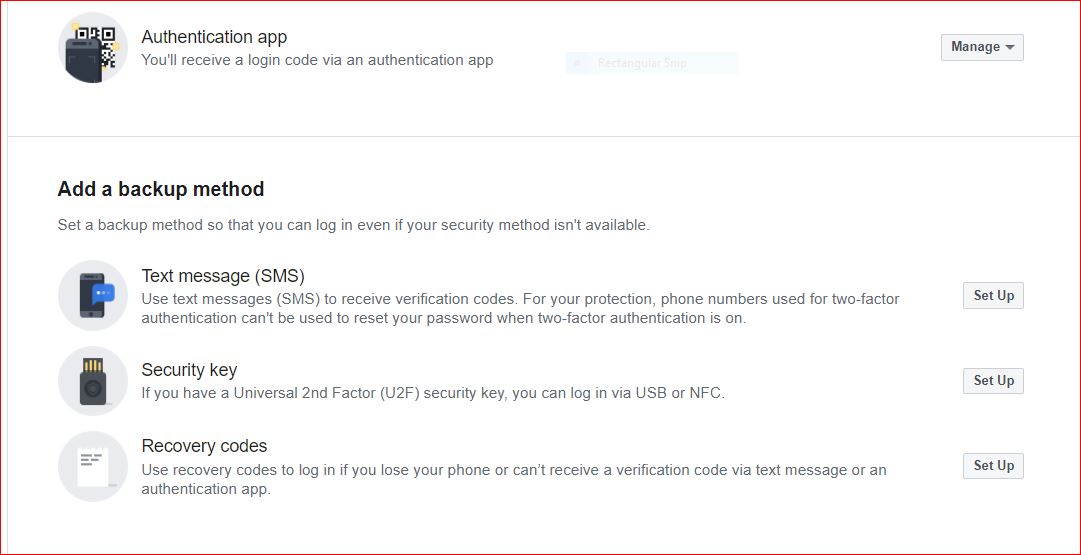
The only notification I received when I realized that my Facebook profile had been hacked was via email, warning me that I was no longer an admin of my BMs and that two-step authentication at the Business Manager level had been disabled. Unexpectedly, considering I had already taken all the measures imposed by Facebook. And during that period, I saw dozens of such cases and complaints.
I immediately contacted the Facebook specialist in charge of us and also made a request via chat. And on the same day, towards the evening, the problem was solved. We regained our rights, reactivated two-step authentication, and removed my old Facebook profile from Business Manager, following the management of the accounts from another profile used solely for this purpose.
The good news was that none of the accounts we had access to was affected, and we didn’t find ourselves with other campaigns with large spends that weren’t ours. And to avoid this, we temporarily moved all the accounts we had access to into a secondary Business Manager. It’s a precautionary measure that we considered the best at that time.
Recently, I heard about cases where campaigns with cumulative spends of tens of thousands of euros were run across multiple accounts. What was done? Again, contact was made with Facebook, the accounts were blocked pending verification, admins regained their rights, and the billed amounts are to be refunded by Facebook.
It’s a delicate situation, but the more informed you are, the faster you can act by following the correct steps if you encounter such a situation.
To open a case with Facebook and if you don’t have a dedicated specialist, access the chat: https://www.facebook.com/business/help. The request can only be submitted by someone who had/has access to the advertising account or the hacked BM, preferably the admin. Anyone else who submits a request without ever having access to those assets will not be considered by the Facebook support team.
!Very important – immediately change your password for your Facebook profile and log out of any other devices you’re logged into. You can also set additional security measures to receive alerts when someone logs into your Facebook profile from other devices or browsers, or you can set it to contact between 3-5 friends if your Facebook profile has been hacked.

SOLUTIONS – What steps can you take to better protect your Facebook accounts?
I recommend that each Business Manager have 2 admins. If one is compromised, there may be a chance that the other can act in time. This also helps when you make the request to Facebook to recover the rights.
Clearly, the 2-step authentication must be set both at the Business Manager level for all people and at the personal profile level.
For Business Manager: https://www.facebook.com/business/help/280940009201586?id=199156230960298
For personal profile: https://www.facebook.com/help/148233965247823
Make sure everyone who has access to your advertising assets has 2-step authentication enabled.
- Avoid logging in with your Facebook profile on any application or website, no matter how safe it seems to you.
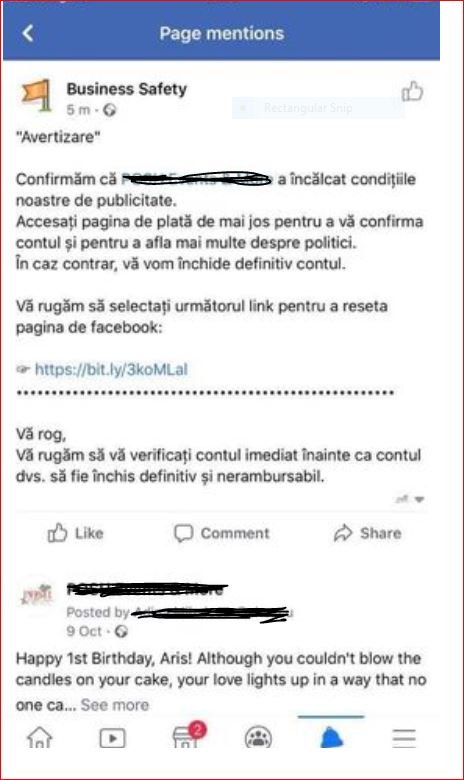
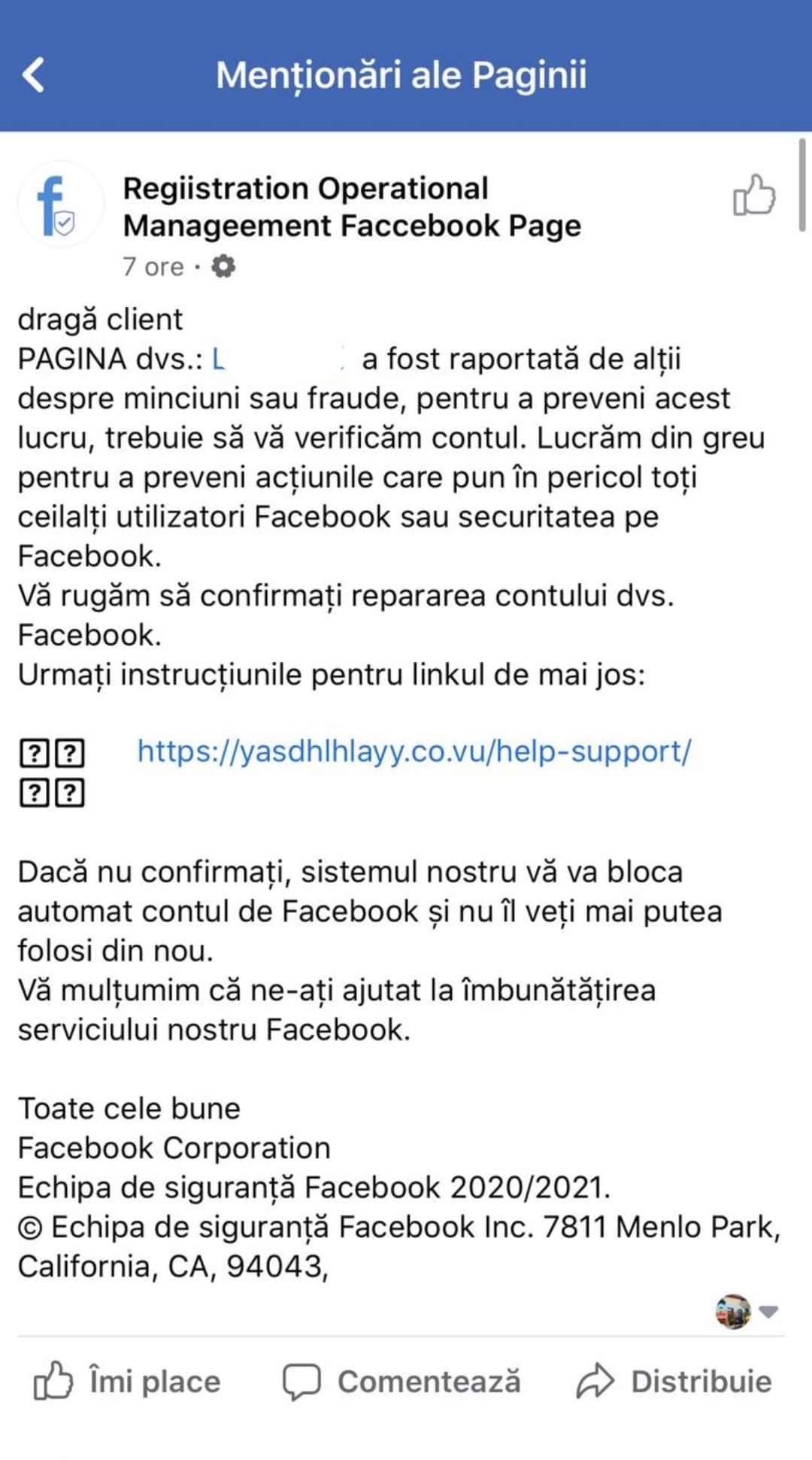
- Some Instagram accounts or Facebook pages received a notification that they violated promotion policies and the account must be verified, otherwise it will be deactivated in 12 or 24 hours. For verification, a link to a payment page had to be accessed. It’s a hack, don’t access any links. They usually come from pages with mistakes in their name or even in the text of the received notification.
- Recently, there was an ad running on Facebook for a TikTok promotion tool, where you could receive a credit of $3500 or $4500 to run ads. Again, I wouldn’t engage with such offers. Instead, it’s better to help the community and report that ad if it appears in your news feed.
- Ideally, you should use a dedicated payment method for Facebook and Instagram payments, one that you can easily access, set limits on, and quickly block from your banking app if your advertising account is compromised.
CONCLUSIONS – Business Manager Disapprovals
Through this article, we aimed to lend a helping hand and highlight the issues many advertisers and agencies have faced recently. We believe it’s better to inform and educate rather than „omit” things. This way, we can prepare together, learning from each other’s experiences. We avoid getting impatient when facing such problems and know how to address them best.
These are topics discussed in many Facebook groups, and from our perspective, they will continue to arise in the future. What’s important is how we prepare for and address them.
Facebook is making increasing efforts to combat these situations, and overall, the results from Facebook and Instagram for many businesses represent a substantial percentage of total sales. Trust in the results brought by these platforms must continue, as new features are introduced, and other changes are announced. We just need to be a bit more cautious about access levels, the websites we visit or log into, the notifications we receive, and the ads we click on.
We hope this article has been helpful, and if you feel there is additional information to add or problems you’ve faced that we haven’t mentioned, please leave them in the comments. Together, we can educate ourselves.